Match Filters
Users customise a match by selecting various filters before running the match. The filters are grouped into categories and are displayed in the left-hand panel of the match results page. These filters can be individually hidden using the same configuration metadata as search.
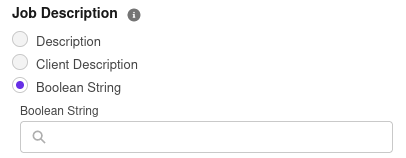
Job description
The job description filter replaces the Boolean String found within search. It allows a match to be run against either the seven20__Description__c or the seven20__Client_Description__c field on the job record. If a field value is null, it cannot be selected. Alternatively, a user can opt to enter a Boolean String of their own creation.
Location / Radius
This behaves exactly as within search, with the addition of a From Job button which populates the Post/Zip Code with job's seven20__Post_Code__c value, and the Country with the job's seven20__Country__c value.
Additional field filters
This behaves exactly as within search.
Codes
This behaves exactly as within search, with the addition of a From Job button which populates this section with the codes associated with the job. Codes will only be brought across if they are associated with both the Job and Contact objects, or not associated with any objects.